Informal Educators' Roadmap

Welcome to GLOBE!

To help Informal Educators navigate the GLOBE Program and website, we've created this roadmap that contains common steps an informal educator might take after creating their account. Click on a section header to open that section to find more information about each step. 
Optional Task to Unlock All Protocols and Other Capabilities

US Members Will See:

Get eTrained or Attend an In-Person / Virtual Workshop


It is recommended that Informal Educators either attend an in-person training or complete the Protocol eTraining/Protocol Assessment Test. What’s covered in the Protocol eTraining:

  • Get an in-depth overview of the GLOBE program and teacher involvement.
  • Get an introduction to the Earth Science Sphere that interests you.
  • Learn about your selected GLOBE protocol(s), how to define data sites, take measurements and analyze the data.

Once you complete a training for a GLOBE Protocol, you will be able to enter data for that protocol through the app or website.
​​​​​

International Members Will See:

Get eTrained or Attend an In-Person / Virtual Workshop


It is recommended that Informal Educators either attend an in-person training or complete the Protocol eTraining/Protocol Assessment Test. What’s covered in the Protocol eTraining:

  • Get an in-depth overview of the GLOBE program and teacher involvement.
  • Get an introduction to the Earth Science Sphere that interests you.
  • Learn about your selected GLOBE protocol(s), how to define data sites, take measurements and analyze the data.

Once you complete a training for a GLOBE Protocol, you will be able to enter data for that protocol through the app or website.


   

Recommended Steps

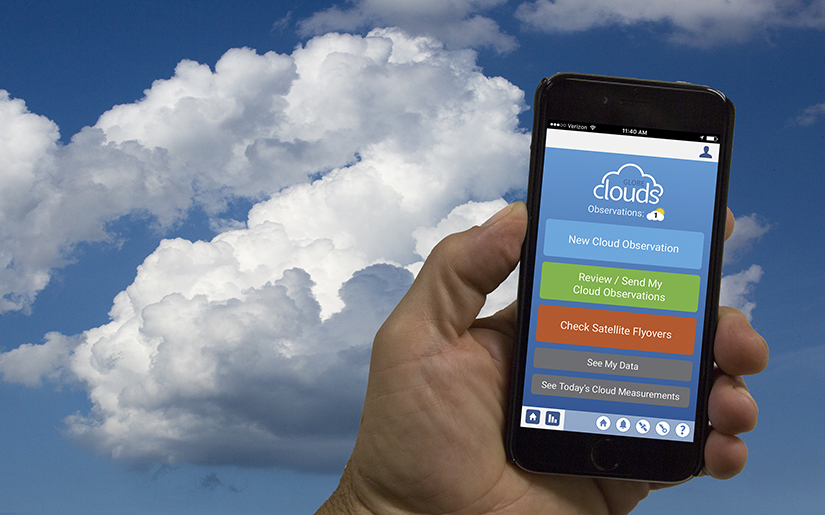
Download the free app to enter measurements immediately for the citizen science protocols – Clouds, Mosquito Habit Mapper, Land Cover, Trees, and Eclipse (when appropriate).

After becoming trained, either through a GLOBE Workshop or online via eTraining, you can use the app to enter measurements for the GLOBE Protocol(s) for which you completer the training(s).

Learn more about the GLOBE Observer App and how to download it.

Verify / Update Your Account Information
  • Access your account settings
  • Manage your personal information and password
  • Check your training records
  • Check to make sure your organization name is correct
Open Your Account Settings

Setup / Verify Your GLOBE Informal Education Organization
  • Access your organization profile to ensure the information (address, lat/long, etc.) is correct.
  • View your organization's page to verify the information. Are you listed as a member?
  • Get your organization's referral code (used to allow others to join your organization).

Note: You should have the "org manager role" - by default, to manage your organization.
Contact the GLOBE Help Desk if you cannot access your organization's information.


Go to your My Observations+ page to find your observations, manage and track your student's observations (through Guest accounts), and find additional account information.

Click on the profile icon at the top right of any page and then select 'My Observations+' to access the page.

​​​​

The GLOBE Observer website has been designed to support those who participate in The GLOBE Program primarily through the GLOBE Observer app. On the GLOBE Observer website, you will find:

  • Training videos and support materials, including hands-on activities, books, tutorials, additional videos, a family guide, and articles for each of the citizen science protocols.
  • ​​​​​​​An overview of the science behind each protocol.
  • Resources for community leaders, informal educators, or others who want to use GLOBE Observer with a group.
  • ​​​​​​​GLOBE Observer data and scientific publications based on GLOBE Observer data.
  • The latest news from the GLOBE Observer community, including monthly blogs about the science related to GLOBE Observer protocols.
  • Information about events for citizen scientists like data challenges or virtual community meet-ups.
  • ​​​​​​​Support for the GLOBE Observer app, including a contact form to reach the GLOBE Observer team. ​​​​​​​

The Toolkit for Informal Educators
Located on the GLOBE Observer website, the Toolkit for Informal Educators contains information about how to use the GLOBE Observer app and supporting resources to connect a group or organization with The GLOBE Program. For each GLOBE Observer protocol (Clouds, Mosquito Habitats, Land Cover, Trees, and Eclipse), the toolkit includes hands-on activities, quick facts for programming, tips and troubleshooting for using the GLOBE Observer app and its protocols with a group, books, videos, presentation files, printable materials for handouts or exhibits, and promotional materials.
​​​​​​​
The toolkit also includes guides designed for using GLOBE Observer with specific audiences such as Girl Scouts, 4-H, camps, and libraries. We welcome input from other informal education communities to expand this resource for additional audiences. Contact us to share how you are using the GLOBE Observer app with your community.
GLOBE Teams
A GLOBE team allows you to invite your audience group or community to participate in GLOBE together under your organization. All data will be grouped together, so you will be able to see what individual participants contribute as well as the overall impact of the group’s observations.
​​​​​​​
  • Learn what GLOBE Teams are and how they are used by reading the introduction to GLOBE Teams.
  • Create as many teams as needed for your participants.
  • Manage teams to set up the data period to match the timing of your programming.
  • Access and share your GLOBE Team pages.

Guest Accounts
Guest Accounts are GLOBE accounts created by teachers to ensure student privacy and protection by providing an anonymous email login to record GLOBE measurements.  Students use these accounts to log-into the GLOBE website and app to enter their observations.

Informal educators may also use Guest accounts to support their community learners for doing GLOBE.

View the tutorials to learn how to:
  • ​​​​​​​Create and manage your Guest accounts through a portal on your My Observations+ page.
  • Create up to 10 accounts.
  • Assign fun system-generated screen names to track student's observations.
  • Export Guest accounts to an Excel or Google classroom.

​​​​​​​For Older Students

US Members Will See:

Instead of using GLOBE Student Accounts,  older students (13+) who have their own personal email accounts and appropriate permissions, can create a GLOBE Observer account directly by downloading the GLOBE Observer App.

Note: students with GLOBE Observer accounts will only be able to enter measurements for the app-based citizen science protocols. To enter measurements for all GLOBE protocols, they will be required to complete an e-training course.

During the account creation process, students can join your school by entering the school's referral code (which you can provide to them). Alternatively, they can navigate to your school or team page and join it with the referral code. See tutorial on finding the referral code.

International Members Will See:

Instead of using GLOBE Student Accounts,  older students (13+) who have their own personal email accounts and appropriate permissions, can create a GLOBE Observer account directly by downloading the GLOBE Observer App.

Note: students with GLOBE Observer accounts will only be able to enter measurements for the app-based citizen science protocols. To enter measurements for all GLOBE protocols, they will be required to complete an e-training course.

During the account creation process, students can join your school by entering the school's referral code (which you can provide to them). Alternatively, they can navigate to your school or team page and join it with the referral code. See tutorial on finding the referral code.

Have Your Participants Take GLOBE Observations
Log in to the GLOBE Observer app or use the desktop version to setup data sites and enter observations.

Explore the tutorials to learn how to:
  • Setup data sites
  • ​​​​​​​Navigate the data entry forms
  • Use Bundles
  • ​​​​​​​Connect Weather Stations to GLOBE

Track Your Participant's Observations
  • Use the Guest Accounts tab on your My Observations+ page to track your participants.
  • See participant's observations on their My Observations page.
Data Visualization & Retrieval

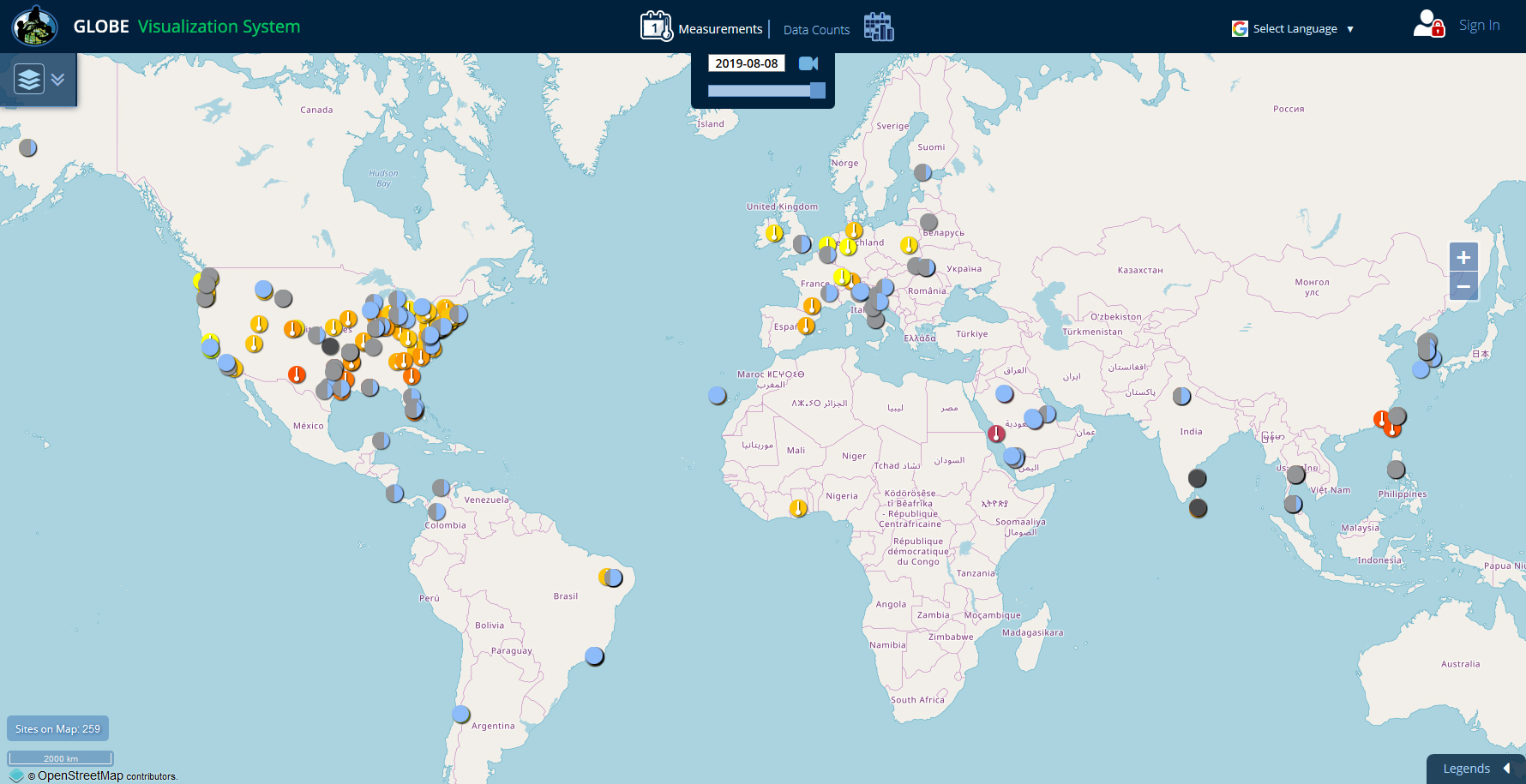
Use one of the 3 tools on the website to view and download your participants' data:

  • ​​​​​​​Visualization System - Good for viewing data on a map or chart and for comparing data from multiple sites.

  • ​​​​​​​Advanced Data Access Tool (ADAT) - Good for downloading large amounts of data to a spreadsheet.

  • ​​​​​​​GLOBE API - The GLOBE API is focused on supporting developers who want to use a programmatic interface to retrieve GLOBE data.


Analyze the Data and Create Reports

Discover student projects from around the world with GLOBE's easy-to-use database. From studies on bacteria in the Mississippi River to microplastics in the Adriatic Sea, students and teachers can browse a wealth of student-conducted research to spark their next scientific inquiry. They can also filter the reports through various search parameters to find exactly what they are looking for.

Students with accounts can upload their own student research reports to share their results with the world.

​​​​​Learn more about Student Research Reports

Determine Which Protocol You Would Like to Study / Teach
  • Navigate to the GLOBE Protocols (Teacher's Guide) section to research the GLOBE Protocols. These are organized by the 4 Earth spheres - Atmosphere, Hydrosphere, Biosphere and Pedosphere.

  • ​​​​​​​After deciding on a GLOBE protocol, view or download the required instructional documents and materials. These documents can be found on each Protocol page. See Clouds, for example. Documents include:

    • ​​​​​​​Protocol Instructions
    • ​​​​​​​Field Guides
    • ​​​​​​​Data Sheets
    • ​​​​​​​Learning Activities
      ​​​​​​​
  • ​​​​​​​Study the appropriate e-Training modules for additional training, and become e-certified in that protocol, if desired.


Access Educator Resources for Doing GLOBE in Your Classroom